Driving assistant app
🚗 For cars · 🏍️ For motorbikes
Auto Robot CoPilot
The co-pilot that watches the road ahead of you, by car or by motorbike.
It warns you and helps you avoid roadworks, queues and speed cameras in the direction you're heading, without setting a route.

The problem
On everyday roads, nobody switches on the satnav
With a satnav
It warns you about queues and roadworks only if you set a destination.
In real life
Nobody sets it to drive to work or back home, so roadworks take you by surprise.
A Monday morning in Milan: roadworks on Viale Fulvio Testi, a 12-minute queue, found only on arrival.
The idea
It recognises your routes by itself and warns you about roadworks, slowdowns and speed cameras in the direction you're heading.
And helps you avoid them. Automatically. No route to set.
🚗 By car and 🏍️ by motorbike, with a profile for each.
It doesn't just warn you
Helps you avoid what slows you down
🚗
Queues
with real-time traffic
🚧
Roadworks
and road closures
📷
Cameras
5,000+ speed cameras in Italy
💰
Tolls
when you don't need them
🕳️
Potholes
the ones you report
It picks the road that avoids them and tells you why: “✅ Avoids Viale Fulvio Testi (queue, roadworks)”.
How it works
Three steps, all automatic
1
It works out where you're going
As you set off it guesses from your habits: where you start, what time, what day. Then it checks against the road you take.
2
It watches only your route
Queues, roadworks and speed cameras on your route, in your direction. Nearby roads you don't take don't count.
3
It speaks only when needed
2–3 minutes before the problem: “Queue in 3 kilometres on Viale Zara”. If it doesn't know where you're going, it stays almost silent.
From the black box · a test drive
It helps, without nagging
Before
12
traffic alerts from home to work, nearly all on roads never driven (ring road, motorway, streets in other districts), some 10–15 km away. Plus a speed camera facing the other way.
Now
0
of those alerts would be spoken: it guesses the route, talks only about that, 2–3 minutes before the problem, and learns which way cameras face.
On Viale Zara it tells you about the queue on Viale Zara. Turn into Viale Monza, and it's the problem on Viale Monza. Nothing else.
Radar view
At a glance, even on a motorbike
Green, few arcs when the road is clear.
Red bars (orange for roadworks) that grow as you get closer: 5 bars under 300 m.
Big distance readout, speed and the limit sign.
On the map
See problems before you set off
Move or zoom the map to any area: queues, roadworks, closures and speed cameras show up with their own icons.
🗂️ Map layers: speed cameras, slowdowns and 🕘 My trips with current problems. North up or direction of travel.
Just like a satnav: your car or motorbike seen from above, speedometer with the limit, alternatives with “+7 min” and a green, amber or red bar, then Start.
❗ Report: speed camera, pothole, rough road, other. Buttons and panels can be moved wherever you like.
Example · rush hour in Milan
From Porta Nuova to Sesto San Giovanni: which way is best?
| Route | Time | Km | Problems |
|---|---|---|---|
| ⭐ Viale Zara → Fulvio Testi | 22 min | 9 | 1 queue |
| Viale Monza | 23 min | 8 | none |
| Tangenziale Nord | 24 min | 13 | 1 speed camera |
The app says it plainly: “With current traffic the routes are about the same (22–24 min)” and “Avoids Tangenziale Nord (speed camera)”.
Before you set off
Tolls and speed cameras: see them before you go
- Every route shows whether it has tolls: “💰 Toll road: A4 (38 km)” or “🆓 No tolls”
- The route's speed checks: “📷 2 speed checks · see where”, with road, distance and limit
- A switch: “Avoid toll roads”
- “🗺️ See routes on the map”: all the alternatives together, and tap a line to choose 👆
Self-learning
It learns your roads, not just its own
🧠 Your roads
Going home via Viale Monza or via Viale Fulvio Testi? They stay as two separate routes of yours.
It offers them
In “Where to?” they show up as “Your route”, with current traffic along your road.
It recommends them
If they're at most 3 minutes slower than the fastest: you're the one who knows the area.
🏠 Home and 💼 work
It works them out in a day and asks you to confirm: “🏠 Sesto San Giovanni · 💼 Porta Nuova”. One round trip is enough.
Two kinds of trip
Off to work or to the beach?
💼 Daily
Home and work: it learns your routes, recognises them and suggests faster ones.
🏖️ Occasional
Beach and days out: alerts in your direction of travel, without muddling your habits.
My itineraries: split into 💼 and 🏖️, picked with one tap, renamed or moved between categories.
Who it's for
Built for the car and the motorbike
🚗 Car
Map always on screen, GPS every second, voice alerts that turn the music down.
🏍️ Motorbike
At-a-glance radar view, vibration, battery saver. Queues in yellow, passable with care; closed roads and accidents in red.
Starts by itself: as soon as the phone connects to the car's Bluetooth, as soon as you open the app or when you get moving again after a break. Nothing to switch on.
Tailored to you
It adapts to you
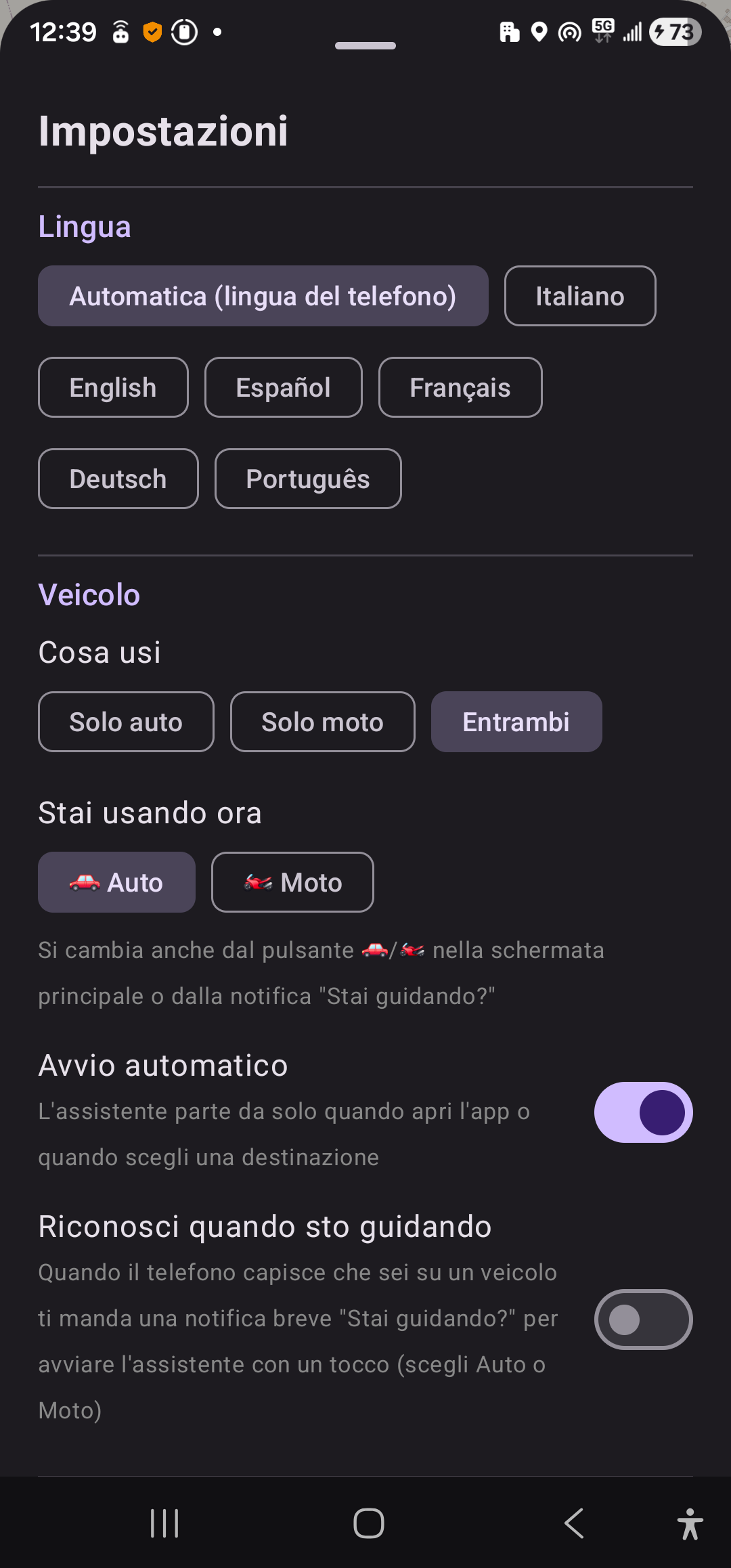
- 6 languages, voice included: Italian, English, Spanish, French, German, Portuguese
- Choose which events to report: speed cameras, queues, roadworks, closures
- How many times to warn, and how many seconds before a speed camera
- Voice, beep, vibration and auto start
Battery and reliability
Light on battery, works offline too
2.5 m
location accuracy
Standing still, 302 fixes in 5 minutes, all within 2.5 m. On the move it glides smoothly and snaps to the road.
5,176
Italian speed cameras
Built into the app, even with no signal. Direction from one-way carriageways or learnt as you drive past; never hidden.
47
automated tests
On the core logic, in all 6 languages. Errors can be reported with one tap.
Privacy
It saves your itineraries to improve them, not to collect your data
📱
Stays on your phone
Itineraries, history, places and potholes. No Auto Robot CoPilot servers.
🛰️
Only what's needed leaves
TomTom gets only the coordinates of each request, for traffic and routes. Never your history.
🔒
You decide
No account, no ads. “Delete all my data” in one tap.
Offline too: speed cameras, the chosen route, your itineraries and already downloaded events work without signal.
What makes it different
A co-pilot, not a satnav
No route to set
It looks ahead in your direction by itself.
It learns your routes
And suggests the fastest road when it matters.
It helps you avoid problems
It picks the road without queues, roadworks or needless tolls, and says what it avoids.
No account
Trips and places stay on your phone.
Where we are, where we're going
Towards the robot co-pilot
Done · version 1.3
- Working Android app, road-tested
- Guesses your route and talks only about that
- Learns your roads, home and work by itself
- Radar view and route picking on the map
- Satnav-style graphics: car/motorbike icon, speedometer
- Privacy: data stays on the phone
- Starts by itself, also via car Bluetooth
- Car and motorbike (on a motorbike queues in yellow), 6 languages
- Weather, route and arrival always on top
- Clearer route preview, slide guide
Next steps
- iPhone app, Android Auto and CarPlay
- Road speed limit, Tutor, traffic lights, ZTL
- Alerts on top of Google Maps and Waze
- A voice you can talk to: on-device Gemma/Llama AI
- Google Play, free: friends first, then everyone
- Fix bugs using reports from users
- Then, in a later version, optional Premium
Auto Robot CoPilot
Your co-pilot on the road.
💡 Ideas, proposals, suggestions? Write to us from the app: Settings → Suggest an improvement
Working prototype on Android · logic ready for iPhone